



Using IX-API MCP Server
Ask in plain language, the way you would ask a colleague who knows IX-API. You do not need endpoint names or field names. The agent reads the documentation for the IX-API version your exchange runs, looks at your account, and answers. Here are some prompts to start from, and what the answers look like on the sandbox.
Look something up
- Can you show me how to set up an mp2mp virtual circuit?
- How do I set up a private virtual circuit to another network?
- What do I need to connect to Microsoft Azure through the exchange?
- What states does a connection go through after I order it?
- Which IX-API version does this exchange run?
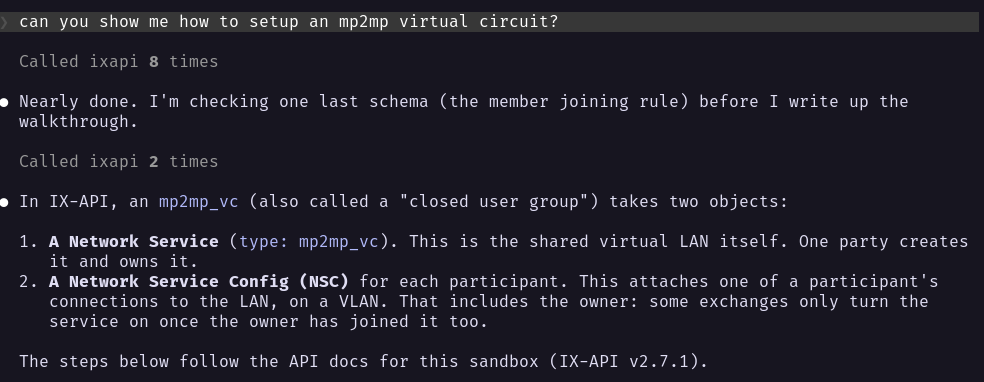
Here the agent was asked how to set up an mp2mp virtual circuit. It read the documentation for the sandbox’s IX-API version, then explained what such a circuit is made of before it wrote up the steps:
See what you have
- Show my IX-API account.
- Check my connections.
- Which of my network services are in production?
- Which MAC addresses are registered on my network service configs?
- Which product offerings does this exchange have?
- What does the cancellation policy for my connection allow?
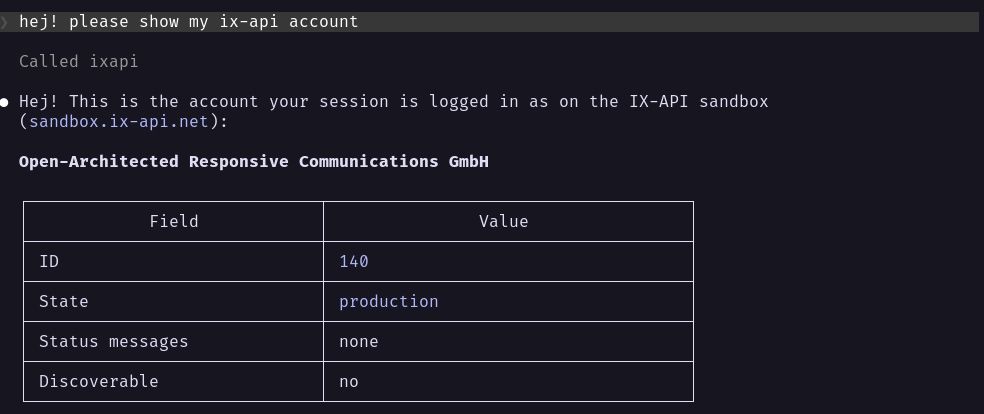
Here the agent was asked for the account. It showed the one the session is signed in as:
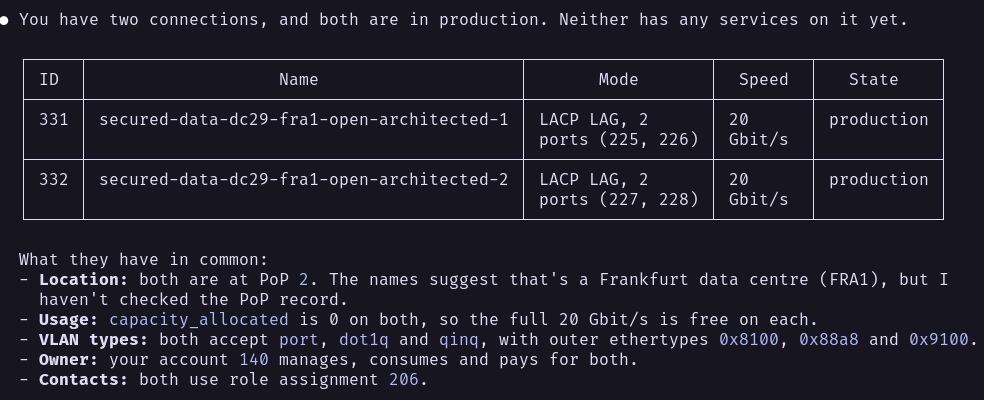
Asked to check the connections, it listed both, with the ports each one uses:
Plan and make a change
The agent can also act for you at the exchange: order, change and cancel. Ask it to plan first, then to go ahead.
- What would I need to order to join the peering LAN in Frankfurt?
- Add the MAC address
aa:bb:cc:dd:ee:ffto my network service config. - Rename my connection to
peering-lag. - Cancel my connection at the end of the year.
- Before you change anything, show me what you will send and wait for my OK.
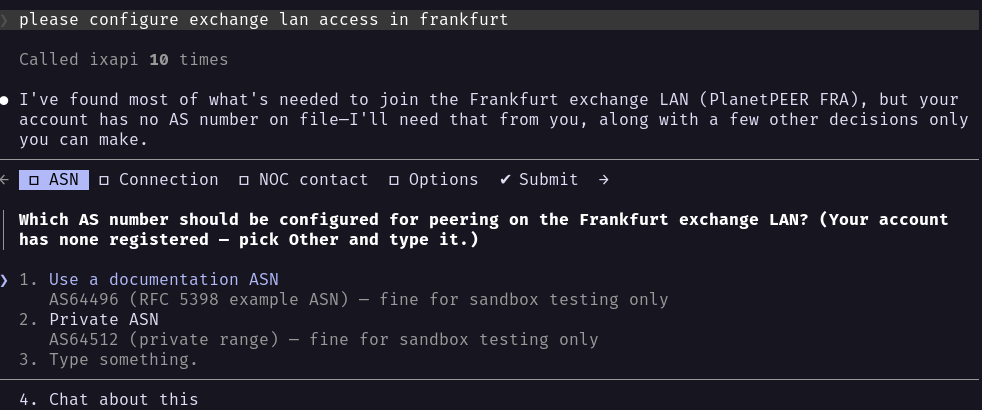
Here the agent was asked to configure exchange LAN access in Frankfurt. It called the sandbox’s MCP server ten times, found most of what it needed, and then paused to ask which AS number to use, since the account has none on file:
Changes are real
Ordering, changing and cancelling go to the exchange as you. At an exchange they cost your account money and change a production network. On the sandbox they only change sandbox data, so try them there first.
The server does not ask you to confirm a change. It marks the tools that make changes, and your client decides whether to ask you first. Read what the agent proposes before you approve it.
Asking twice creates two orders, not one: IX-API has no way to recognise a repeated request.
A change to a list, such as the MAC addresses on a config, replaces the whole list. Check that the agent kept the entries you wanted.
An exchange may run the server read-only. It then refuses every change and sends nothing to the exchange.